Assignments
Manage who is eligible to request each role.
Overview
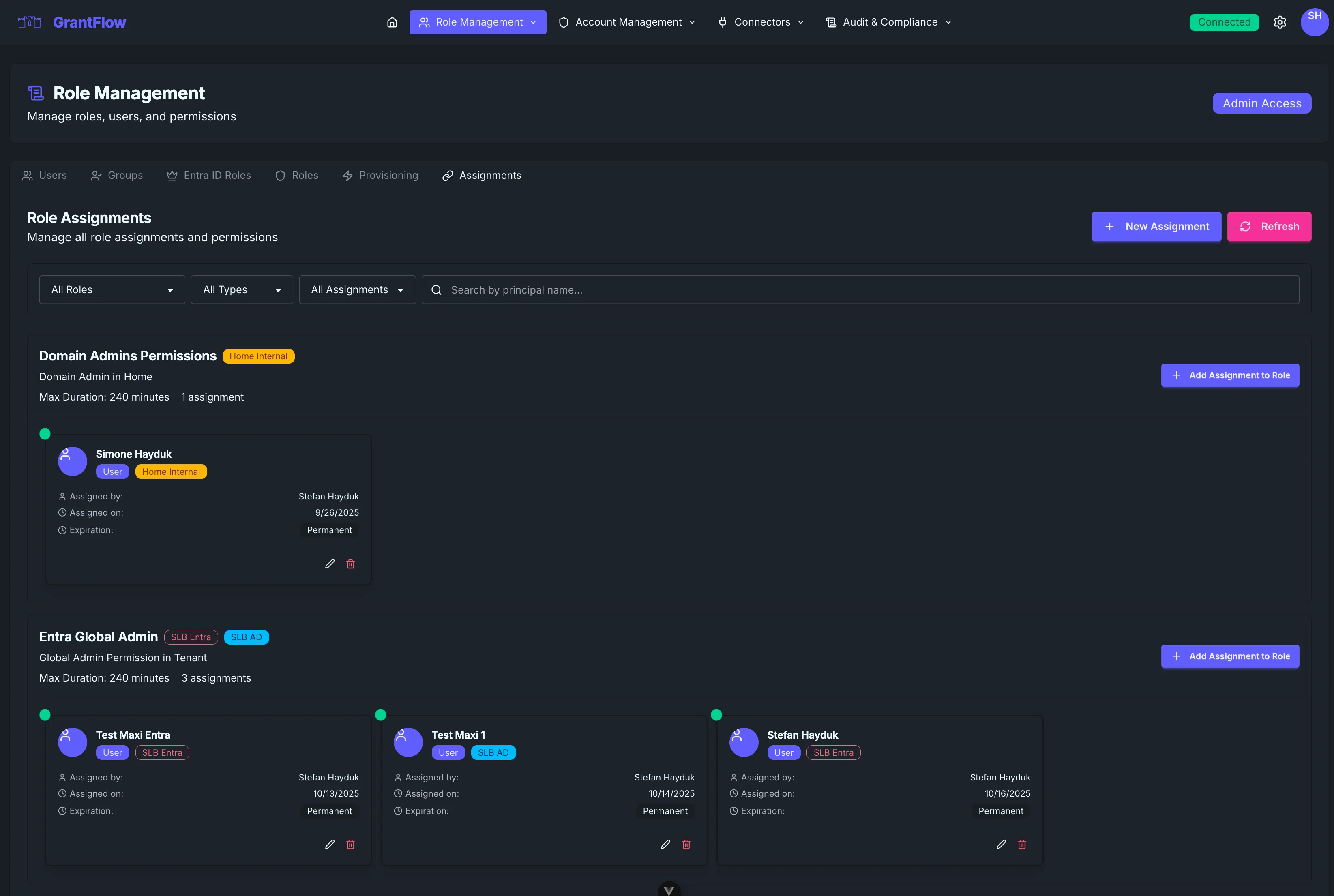
The Assignments view shows who can request a given role and why. You’ll see direct users, groups, and other sources of eligibility, along with status and optional expiration.
Eligibility sources
- Direct user assignments
- Group‑based assignments
- Attribute or department‑based scopes
- Time‑boxed eligibility with expiration
Managing assignments
Open a role → Assignments to add or remove users and groups. The list shows the source of eligibility (Direct, Group, Department), current status, and any expiration. Use the filters to focus on a specific role, principal type (Users or Groups), and assignment state (All, Active, Expired).
TIP
Prefer group‑based assignments for scale and easier lifecycle management. Use expirations for temporary projects.
Reviews
Review eligibility regularly, prefer group‑based assignment for scale, and remove access promptly when responsibilities change. Record a brief business justification for audit.