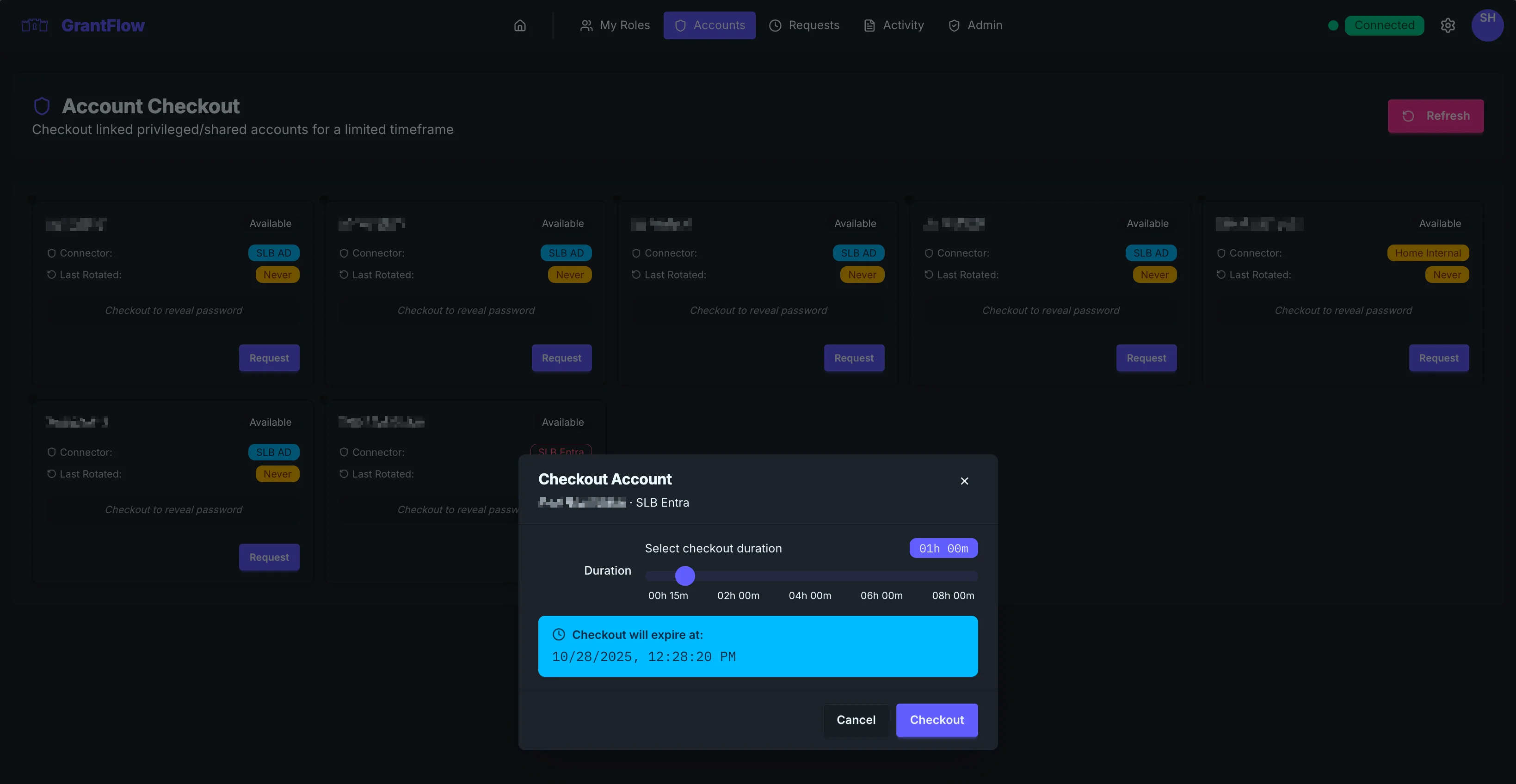
Checkout Dialog
Use the checkout dialog to request temporary access to a privileged/shared account.
Fields
- Account: pre‑filled from the card you selected
- Duration: choose the minimum time you need
- Justification: describe the task; include ticket/change IDs
INFO
If your tenant shows a separate dialog for checkout, it will include the same fields: account, duration, and justification.
When the password has expired
If the account's password has expired, GrantFlow rotates it before your checkout completes. While that runs, the dialog shows a spinner, disables its buttons, and notes that the rotation can take up to a minute and a half. Keep the dialog open. See Expired passwords for details.
After you submit
Checkouts need no approval. The checkout is pending while GrantFlow enables the account in the directory, and then you can reveal the password for the checkout window, unless the account's policy only allows automatic sign-in. Treat credentials as sensitive and never share them.
Troubleshooting
- Duration refused: the account's policy caps the checkout duration; choose a shorter one
- Password not shown: the checkout may still be pending; wait a moment and refresh
- "The account's password is being rotated": the rotation of an expired password is still running; try again in a moment